Query templates
Under AI → Semantic Layer → Query Templates, save reusable question slots and validated subqueries. One asset can contain multiple template items.
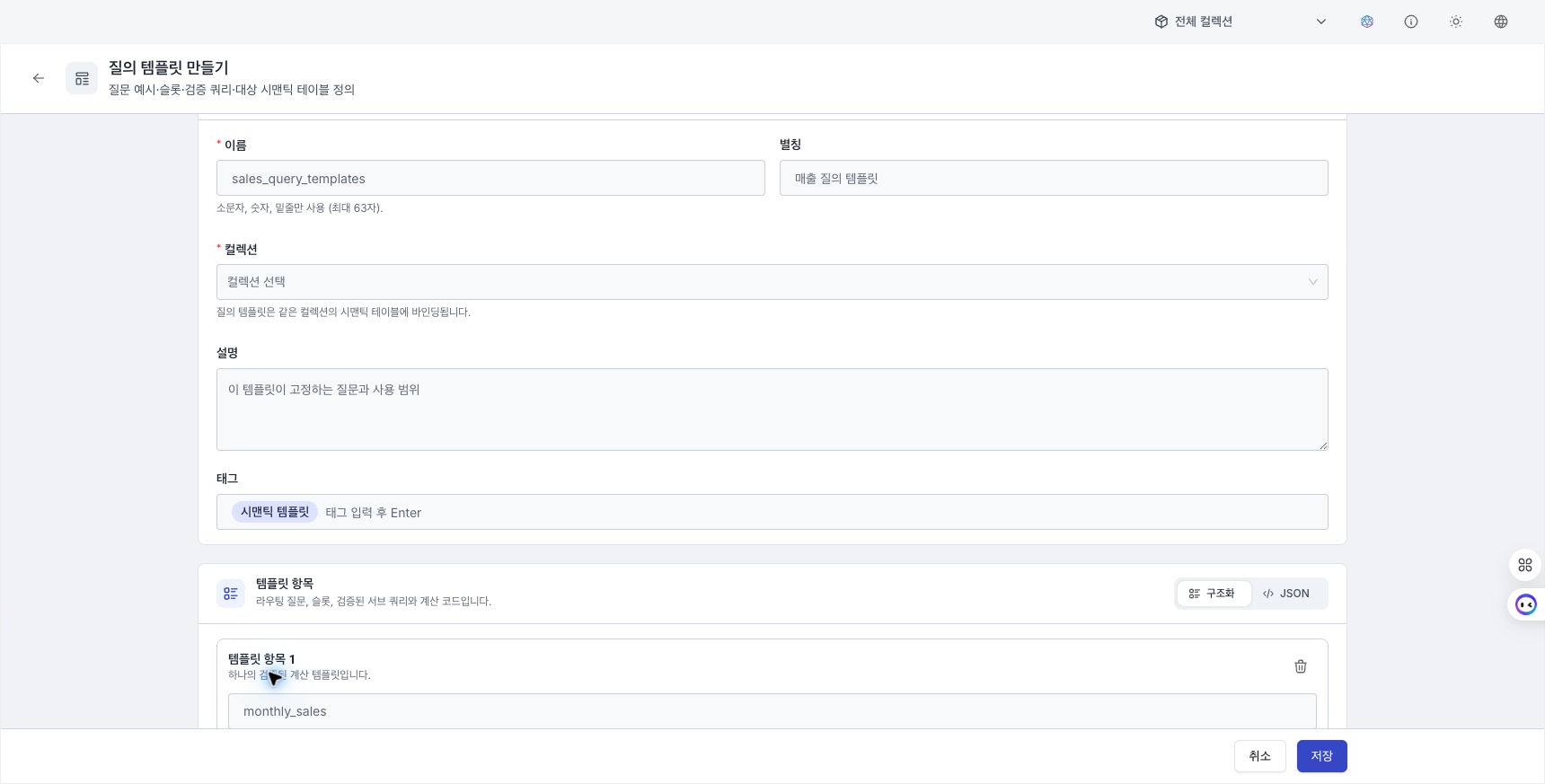
Assets and template items
- Enter a name, alias, collection, description, and tags. A collection is required.
- Select Add template item.
- Enter a unique name, a description, and at least one question example for each item.
- Configure slots, one or more subqueries, and calculation code.
Edit the item array in Structured / JSON mode. Switching modes converts the current value, and invalid JSON cannot be saved.
Define slots
Slots are extracted from a question and substituted into {{slot}} positions in a query.
| Type | Purpose |
|---|---|
| String | General text |
| Number | Integer or floating-point value |
| Value | Surface form used for value-dictionary linking |
| List | Multiple values that create one subquery frame per value |
Configure a name, description, required state, and default value for each slot. A list default must be a JSON array.
Configure subqueries
Each subquery has a unique name within the item, a target semantic table in the same collection, a tool, and query JSON.
- Metric: Select one or more metrics.
- Row query: Select the source table and one or more output columns.
A subquery can use no more than one list slot, and only in the single-value position of an = condition. When a list expands, frame names use the {subqueryName}__{element} format.
Calculate the result
Subquery results are passed to run(frames) as a DataFrame collection keyed by subquery name. Calculation code must define a top-level Python function named run(frames) and return the final result. When there is one subquery, the default code returns the selected frame unchanged.
Reference semantic tables
In the Semantic table reference panel on the right, review the selected table's ID, columns, metrics, and filters, and copy its ID. Tables from other collections cannot be connected.
Review save errors
The following items are validated when you save.
- Duplicate question examples or slot names
- Undeclared
{{slot}}references - Semantic-table existence and read permission
- Query JSON and required metrics or columns for the selected tool
- Filter, sort, and cumulative-metric rules
- The top-level
run(frames)function structure
When an error appears, move to the corresponding template item or subquery and correct it. The server also trial-compiles rendered queries and validates calculation code.