Import and export
Export agents, tools, actors, prompts, and semantic-layer assets as JSON, then import them into another collection or environment. An agent can also bundle directly referenced assets in a ZIP file.
Supported assets
The header overflow menu on each supported list contains Import, and each row action menu contains Export.
- Value dictionaries
- Semantic tables
- Query templates
- Prompts
- Tools
- Actors
- Agents
Import assets
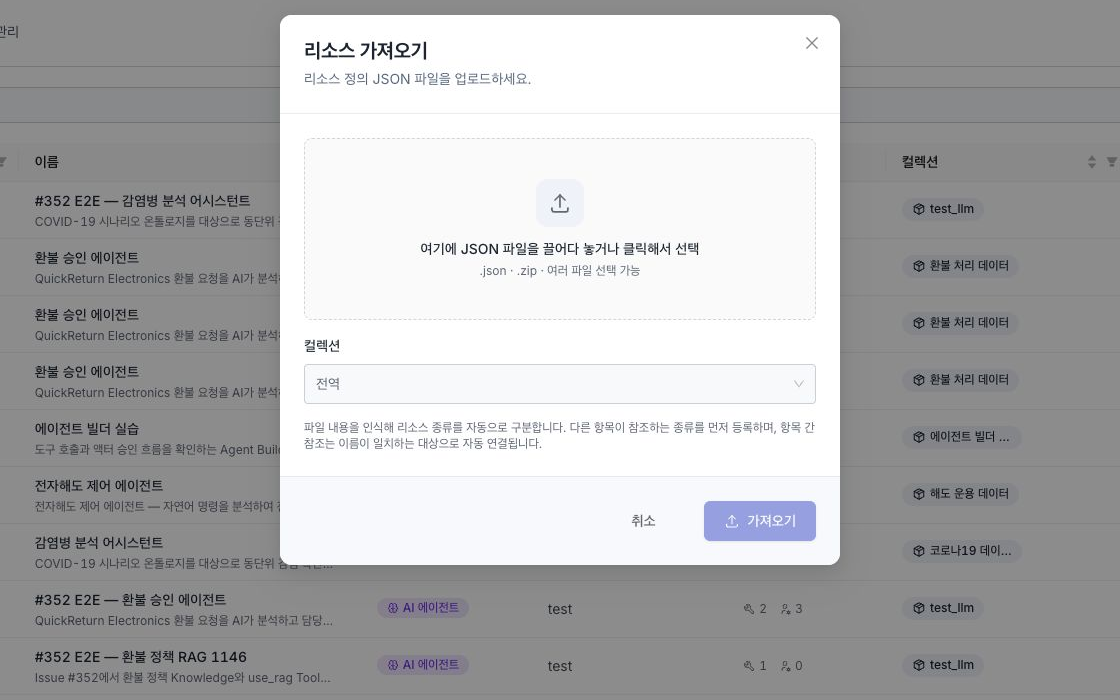
- On a supported asset list, select Import from the header overflow menu.
- Select or drag one or more
.jsonfiles or.zipbundles into the dialog. - Select the collection where the imported assets will be stored. Leave the collection empty to register global assets.
- Review the automatically detected asset types and any errors.
- Start the import and review the success or failure result for each item.
Each JSON file and each JSON entry inside a ZIP file must be 5 MB or smaller. The combined uncompressed size of JSON entries in a ZIP file must be 50 MB or smaller. Items without a supported structure or a name are not registered.
If some items fail, the remaining items continue to be registered.
An MCP tool's remote name, input schema, and server connection must be checked from the MCP server. Do not upload an exported MCP tool JSON file. Use Import from MCP on the Tools list. Move an MCP connector definition separately through the regular connector import scope.
Reference resolution order
Files selected in the same operation are registered in the following order.
Value dictionary → Semantic table → Query template → Prompt → Tool → Actor → Agent
References are resolved against assets created in the same batch first, then existing assets with the same ID, and finally existing assets with the same name. If multiple assets have the same name, an asset in the target collection takes priority. An item fails if a referenced table in a query template or a referenced prompt or semantic asset in an agent cannot be found.
Export an individual asset
Select Export from a row action menu to download a definition JSON file that can be imported again. Server-managed values such as collection, folder, owner, classification labels, and creation or modification timestamps are excluded. A value dictionary export contains all entries, not only the current page.
Export an agent with references
Select Export with references from an agent row to bundle the following assets in a ZIP file.
- The agent definition
- Directly referenced prompts, semantic tables, query templates, tools, and actors
- Semantic tables referenced by query templates
Built-in assets, user roles, LLM and data-connection names, and external value-dictionary or table links are not included. Prepare them separately in the target environment.
The import on this page moves a complete asset definition. To merge a CSV or TSV value list into an existing value dictionary, follow Value dictionaries.