Overview
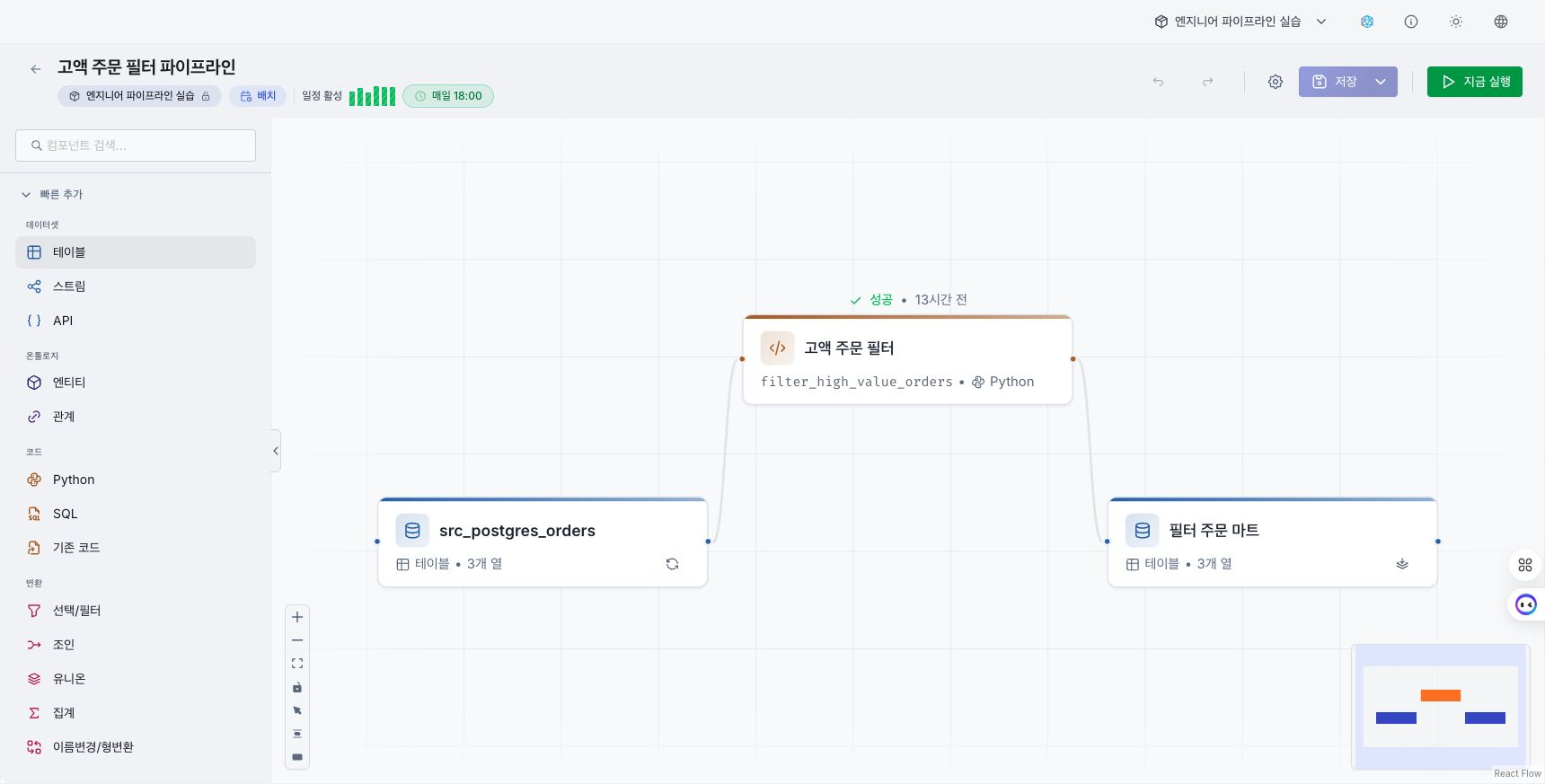
A pipeline connects data input, transformation, and output as executable nodes. Use one to clean source data, combine multiple sources, or save results to datasets and ontology assets.
When to use a pipeline
| Task | Example |
|---|---|
| Transform data formats | Standardize date formats or retain only required columns. |
| Combine data | Join separate datasets such as orders and customers. |
| Save results | Write transformed results to a dataset, entity, or relationship. |
| Run repeatedly | Run the same task on a schedule or in response to an event. |
If you only need to query or visualize data, connect the dataset directly to a dashboard. Create a pipeline when the data requires transformation, combination, or repeated execution.
Pipeline types
| Type | Execution time | Suitable tasks |
|---|---|---|
| Batch | Run by a user or on a saved schedule. | File loading, recurring aggregation, bulk transformation |
| Event | Run when a registered event arrives. | Real-time ingestion and follow-up event processing |
Choose the type when creating the pipeline. An event pipeline also requires a topic to receive.
Basic workflow
- Create a pipeline and choose the collection where it will be saved.
- Add input, processing, and output nodes.
- Connect nodes to define the data flow.
- Save the pipeline after required settings and code are ready.
- Run the pipeline and review each step's status and result.
Use datasets, entities, and relationships as inputs. Python or SQL code nodes process the data, and their results are saved back to datasets, entities, or relationships.
Review execution results
Each node displays status while the pipeline is running. After completion, review step status, execution time, and error details on the code node's History tab.
If a step fails, see Troubleshoot pipeline errors to review execution history and the stack trace. For recurring runs, set an interval under Configure an execution schedule.
Continue
- Use the Pipeline editor to review screen areas and editing features.
- Add nodes to place dataset, code, and ontology nodes.
- Run a pipeline to review results and errors.