Overview
Review recent work and asset counts on Home, then find the next item with global search.
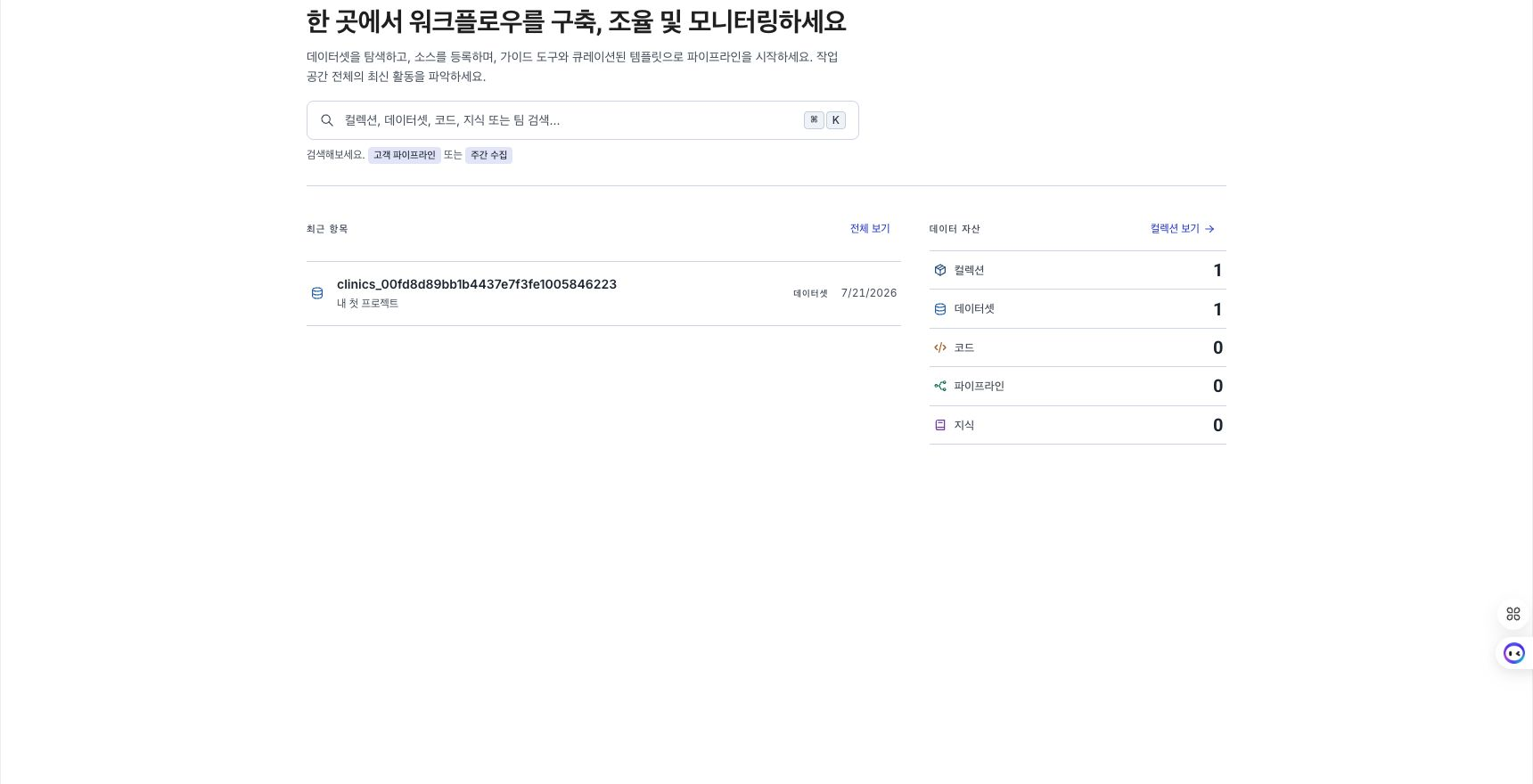
Start a task from Home
| What you need | How to proceed |
|---|---|
| Find an asset by name. | Select the search box or press ⌘K (macOS) / Ctrl+K (Windows). See Use global search for search scope and filters. |
| Return to a recently edited asset. | Select its name under Recent Items. |
| Review asset counts. | Review counts by type under Data Assets and open the required list. |
| Review service announcements. | Open the announcement or linked page under What's New. |
Open a recently edited asset
Recent Items shows up to 12 collections, code assets, pipelines, and knowledge items ordered by modification time. Each item shows its name, asset type, collection, and time since modification.
- Select the name of the item you want to continue working on.
- To find more assets, select View all to open the Collections page.
If there are no items, Create collection appears. To find ontology entities, relationships, and agents as well, use the Recent Items page.
Review asset counts
Data Assets shows the number of accessible collections, datasets, code assets, pipelines, and knowledge items. Select a type to open the page where you can find those assets. Select View collections to open the Collections page.
Review What's New
What's New shows up to three recent announcements created by an administrator. If an announcement has a linked page, open it with View details. This area is hidden when there are no announcements.
Administrators create and manage announcements under What's New in Settings.
Narrow the scope to one collection
Use the collection selector in the top navigation to narrow the scope displayed on Home.
- Select the current collection scope in the top navigation.
- Select a collection from the list.
- To return to the full scope, select All collections.
The selected scope applies to Recent Items and asset counts on Home. It also applies to Global Search, Recent Items, and Collection Explorer. The selection is stored in the browser. If you lose access to the collection, the scope returns to All collections.
The active scope is also suggested as the default collection when you create an LLM model, agent, tool, actor, prompt, semantic table, value dictionary, query template, knowledge, model deployment, data connection, secret, Data Sync job, dashboard, pipeline, or modeling resource. A more specific context from the URL, duplication source, or collection tree takes precedence. Existing resources are not moved when edited.
Collection scope is a view setting that filters displayed items. It does not change asset permissions.