Graph Explorer
Graph Explorer is a tool for visually exploring and analyzing built ontology data. It queries data stored in the graph database using Cypher queries and visualizes the results.
Screen Layout
[Screenshot] Graph Explorer
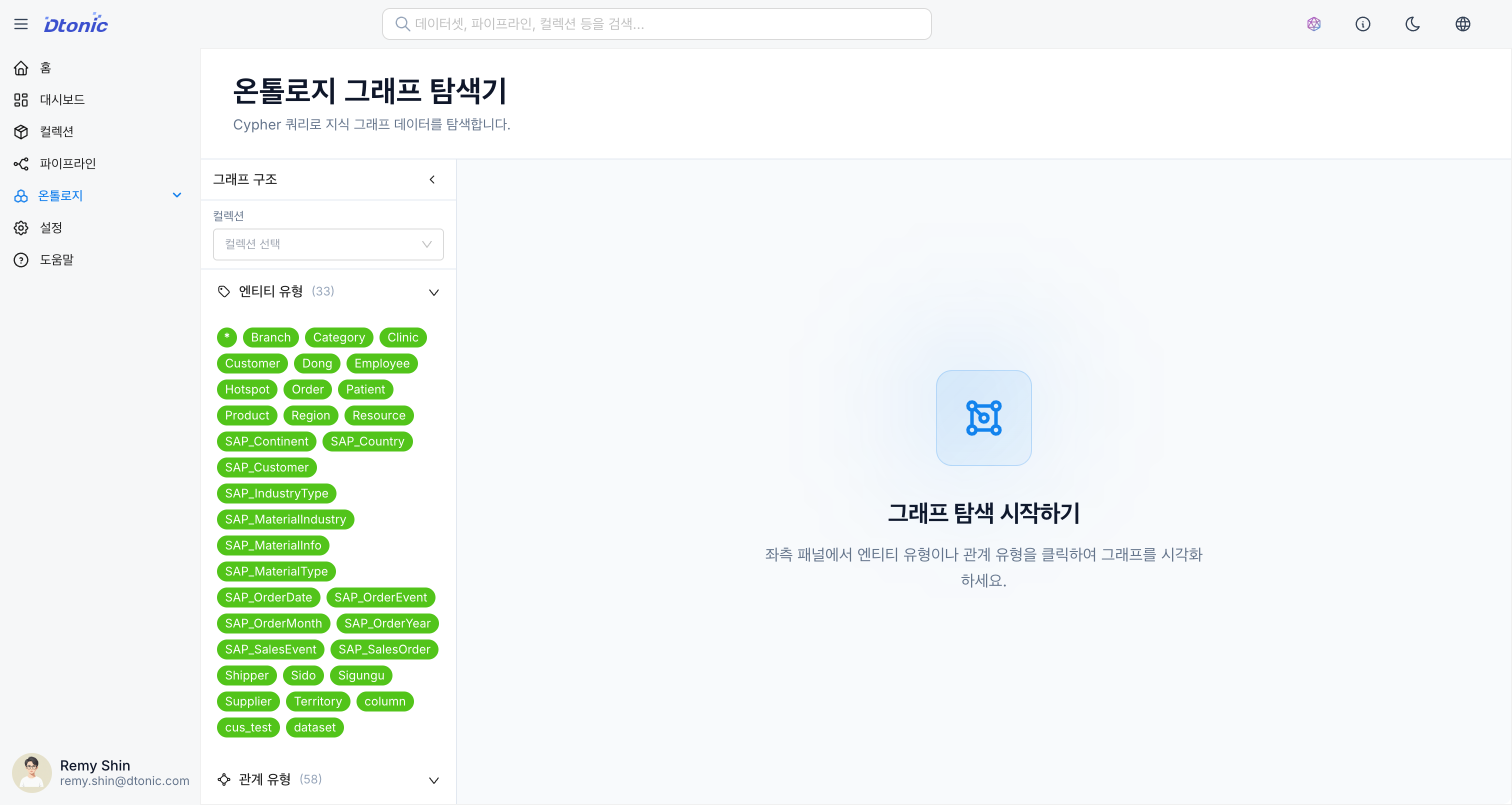
1. Metadata Panel
The left panel displays the graph schema information for the currently selected collection.
- Labels (Nodes): List of defined entity labels (e.g., Person, Company)
- The number of nodes is displayed next to each label.
- Relationship Types: List of defined relationship types (e.g., BOUGHT, MANAGED)
- The number of relationships is displayed next to each type.
- Property Keys: List of property keys in use
- Clicking an item automatically executes a query to retrieve all data of that type.
2. Visualization
The central area displays the queried data as a graph (nodes and links).
- Interaction: You can drag nodes or zoom in/out.
- Details: Clicking a node or link displays the property information of that element.
- Expanded Exploration: Double-clicking a node retrieves additional neighboring nodes that are connected to it.
- Layout: Automatically arranged using a force-directed layout, with manual adjustment available.
3. Query Editor
The bottom panel allows you to write and execute Cypher queries directly.
- Query Input: Supports Cypher, the standard query language for graph databases.
- Run: Executes the query and reflects the results in the visualization area.
- Result View: View results in graph, table, or text format.
Cypher Query Guide
Basic Pattern Matching
-- Retrieve all Person nodes
MATCH (p:Person)
RETURN p
LIMIT 100

-- Retrieve nodes connected by a specific relationship
MATCH (p:Person)-[:BOUGHT]->(product:Product)
RETURN p, product
LIMIT 50

-- Conditional filtering
MATCH (p:Person)-[:BOUGHT]->(product)
WHERE p.age > 30 AND product.price > 10000
RETURN p, product
Aggregation Queries
-- Count nodes by label
MATCH (n)
RETURN labels(n) as label, count(*) as count
ORDER BY count DESC

-- Statistics by relationship
MATCH ()-[r]->()
RETURN type(r) as relationship, count(*) as count
ORDER BY count DESC

-- Customers with the most purchases
MATCH (p:Person)-[:BOUGHT]->(product)
RETURN p.name, count(product) as purchase_count
ORDER BY purchase_count DESC
LIMIT 10
Path Exploration
-- Shortest path between two nodes
MATCH path = shortestPath(
  (a:Person {name: "Alice"})-[*]-(b:Person {name: "Bob"})
)
RETURN path

-- N-hop neighbor query
MATCH (p:Person {name: "Alice"})-[*1..3]-(neighbor)
RETURN DISTINCT neighbor
LIMIT 50
Useful Cypher Functions
| Function | Description | Example |
|---|---|---|
count() | Count items | count(n) |
collect() | Collect into a list | collect(n.name) |
labels() | Get node labels | labels(n) |
type() | Get relationship type | type(r) |
properties() | Get all properties | properties(n) |
size() | List size | size(collect(n)) |
coalesce() | NULL fallback value | coalesce(n.name, "Unknown") |
Result View Modes
Graph View
- Visually displays nodes and relationships.
- Node colors are automatically assigned by label.
- Node size can be adjusted based on property values.
Table View
- Displays query results in tabular format.
- Column sorting and filtering are available.
Text View
- View results in raw JSON format.
- Useful for debugging or examining detailed data.
Data Exploration Tips
- To view only nodes of a specific label, click that label in the metadata panel.
- To find complex patterns, write
MATCHstatements directly in the query editor. - If there are too many nodes and the display is cluttered, use the
LIMITclause to restrict the number of results. - For performance, filter by indexed properties whenever possible.