Exploring the First Screen
Here's an introduction to the D.Hub interface you'll see right after logging in.
Overall Layout
D.Hub is divided into two main areas: the Sidebar and the Main Content Area.
Sidebar
[Screenshot] Sidebar navigation
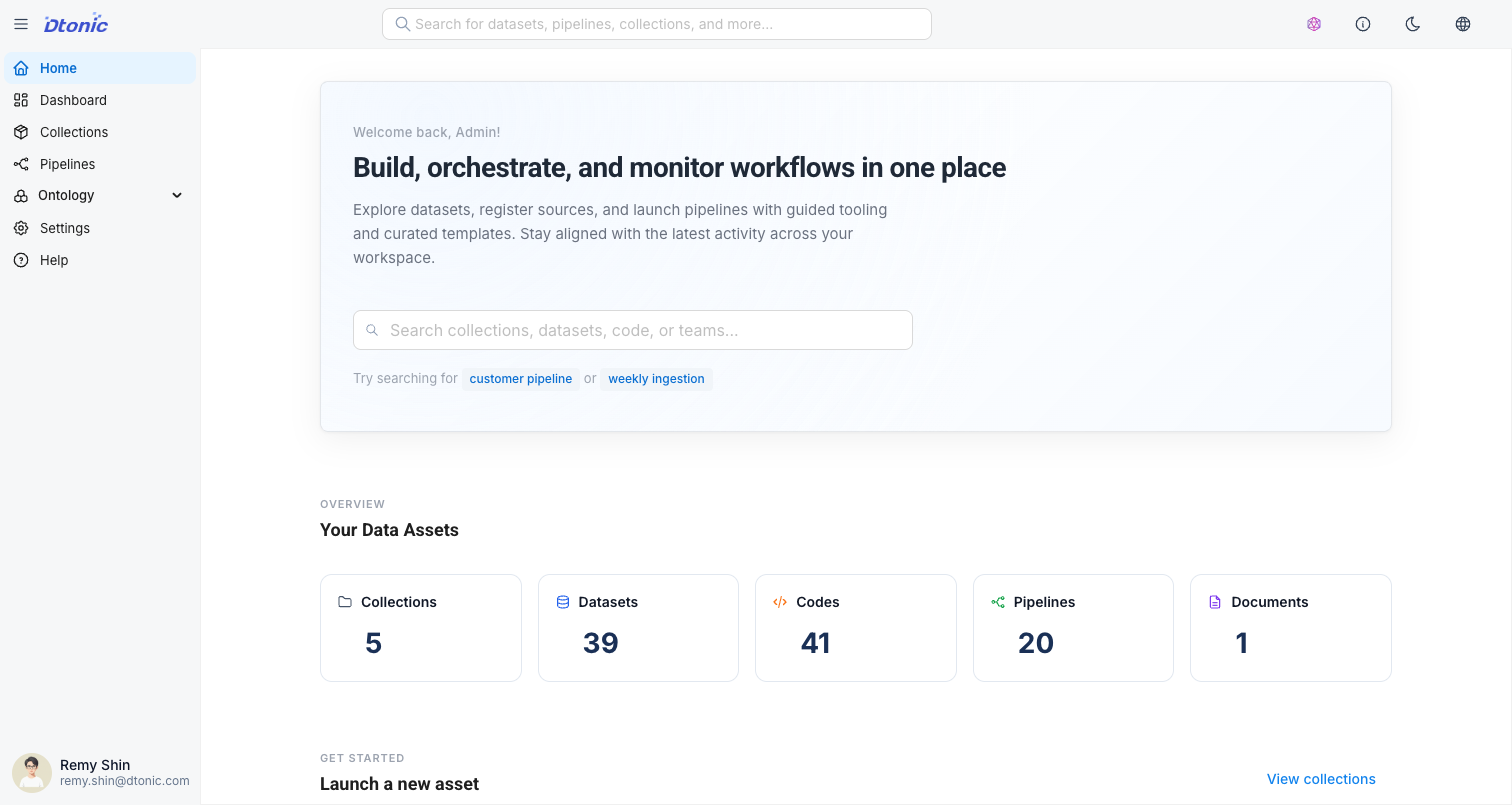
Located on the left side of the screen, it provides a navigation menu for accessing key features.
- Home: Navigate to the home screen. View asset statistics, quick start cards, and recent activity.
- Dashboard: Create and manage custom dashboards. Visualize data with charts and widgets.
- Collections: A space to group and manage datasets, codes, pipelines, and Knowledge.
- Pipelines: Design data processing workflows and monitor execution status.
- Ontology: A tool for defining semantic relationships between data.
- Modeling: Visually create and edit entities and relationships.
- Graph Explorer: Explore the built ontology graph with Cypher queries.
- Knowledge: A RAG system for collecting unstructured documents and querying them with AI Chat.
- Settings: Manage system and user settings. Additional user/group management menus are shown to administrators.
At the bottom of the sidebar, your user profile is displayed. Click it to navigate to settings or log out.
Top Area
At the top of the home screen, there is a welcome message along with a Global Search bar. You can quickly search for collections, datasets, codes, pipelines, and Knowledge by keyword. Open it from anywhere using ⌘K (macOS) / Ctrl+K (Windows).
Home Dashboard Layout
[Screenshot] Home dashboard components
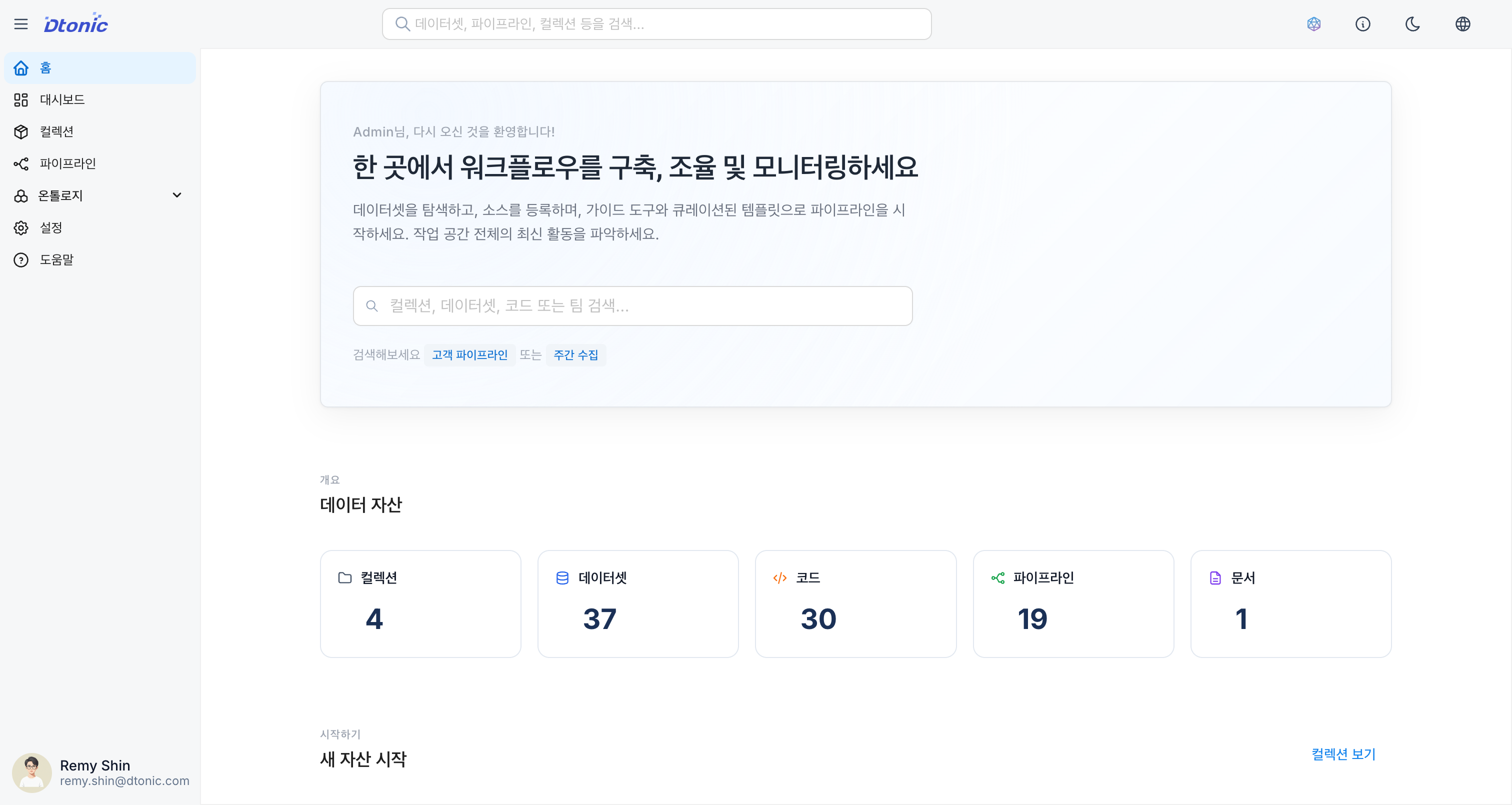
The home screen is organized as follows to help you get an overview of your data assets and perform quick actions.
-
Overview:
- Displays the total count of your Collections, Datasets, Codes, Pipelines, and Knowledges in card format.
- Click each card to navigate directly to the corresponding list page.
-
Get Started:
- Shortcut cards that let you immediately start frequently used tasks.
- Create Collection: Create a new collection
- Register Dataset: Register a new dataset
- Add Code: Write new code
- Create Pipeline: Create a new pipeline
- Create Knowledge: Create a new Knowledge
-
Recent Items:
- Shows a chronological list of items you've recently created or modified.
- The item type (Collection, Dataset, Code, Pipeline, Knowledge) and associated collection are displayed.
- Click to navigate directly to the item's detail page.
Next Steps
Now that you understand the basic screen layout, it's time to start managing your data.