Settings
[Screenshot] Settings page
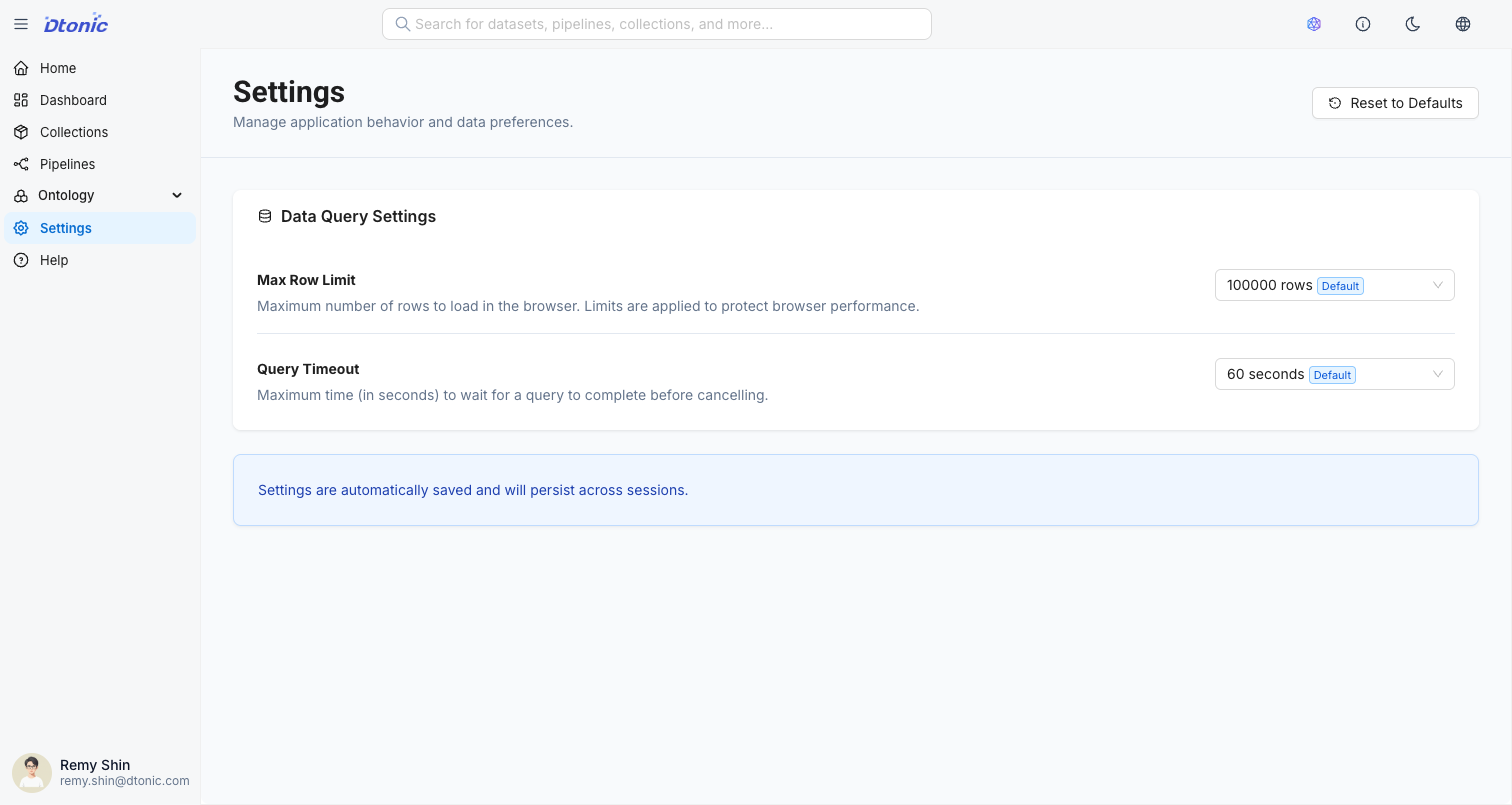
The Settings page allows you to manage general application behavior and data query preferences for D.Hub. Changes are saved automatically and persist across browser sessions.
How to Access
Click the Settings  menu at the bottom of the sidebar.
Data Query Settings
Configure performance-related limits applied when querying or visualizing data.
1. Max Row Limit
Limits the maximum number of data rows that can be loaded at once to protect browser performance.
- Options: 10,000 / 50,000 / 100,000 / 500,000 / 1,000,000 rows
- Default: 50,000 rows
- Note: Setting the limit to 500,000 rows or higher will display a warning that loading large amounts of data may cause the browser to slow down or freeze.
2. Query Timeout
Sets the maximum time to wait for a data query to complete. The query is automatically cancelled after this time elapses.
- Options: 30s / 60s / 120s / 300s (5 min) / No limit
- Default: 60s
Reset Settings
To restore settings to their default values, click the Reset to Defaults button in the upper right corner of the page.
All settings are stored in local storage to provide a personalized experience. They do not affect other users' settings.