Dashboard Overview
Dashboard Builder is a powerful tool for visualizing collected data and deriving insights. You can arrange widgets using drag and drop, connect data via SQL or simple configuration mode, and build your own monitoring screens.
Key Features
- Widget Library: Provides various charts (bar, line, pie), statistic cards, gauges, heatmaps, maps, and data tables
- Drag and Drop: Freely configure layouts and resize widgets
- Flexible Data Connection:
- Simple Mode: Visualize by selecting datasets and fields from the UI
- Query Mode: Write SQL queries directly for complex data processing and visualization
- Interactive Filters: Explore data over time using the date range selector
Screen Layout
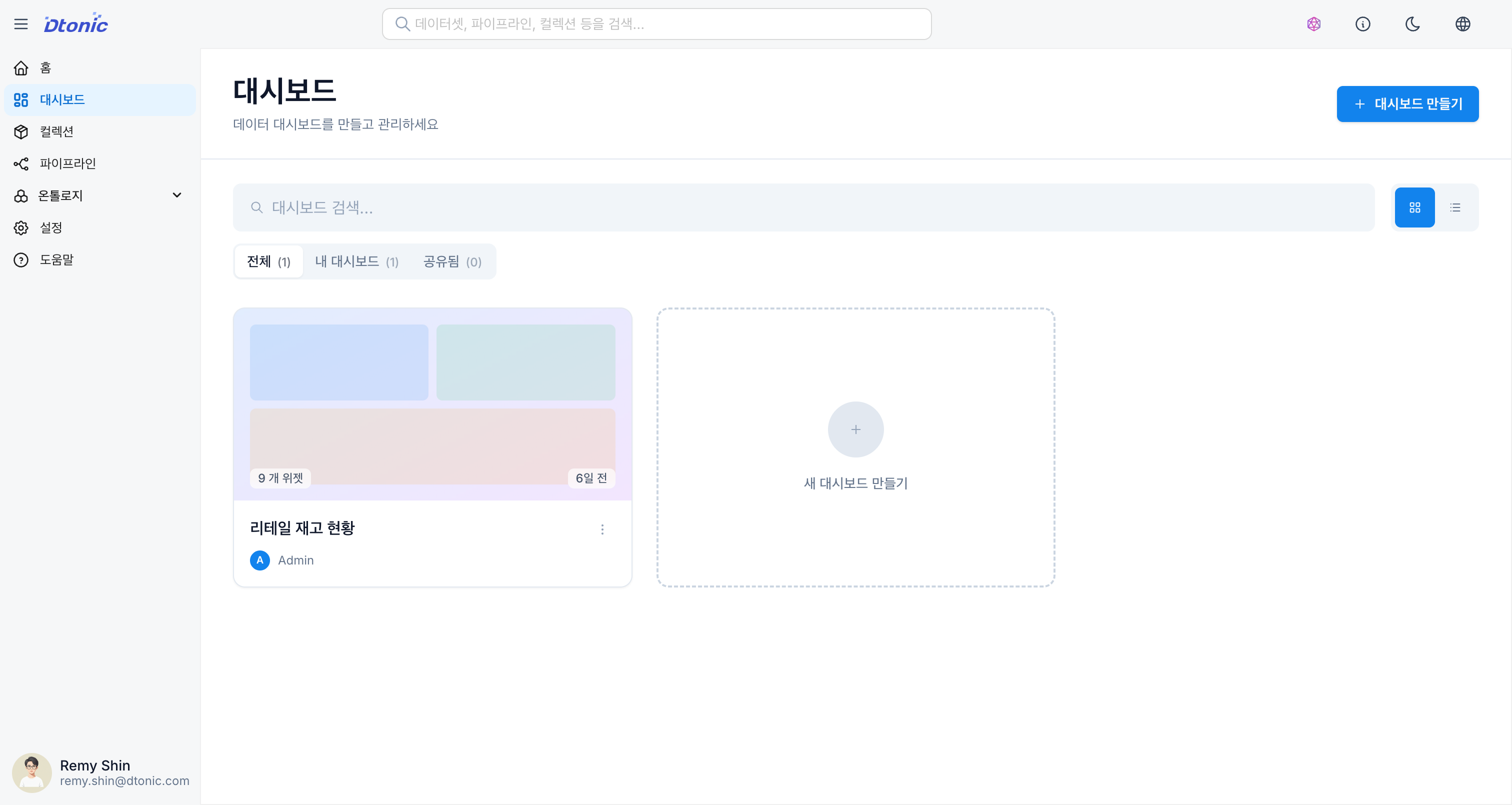
[Screenshot] Dashboard list screen
[Screenshot] Dashboard edit mode screen
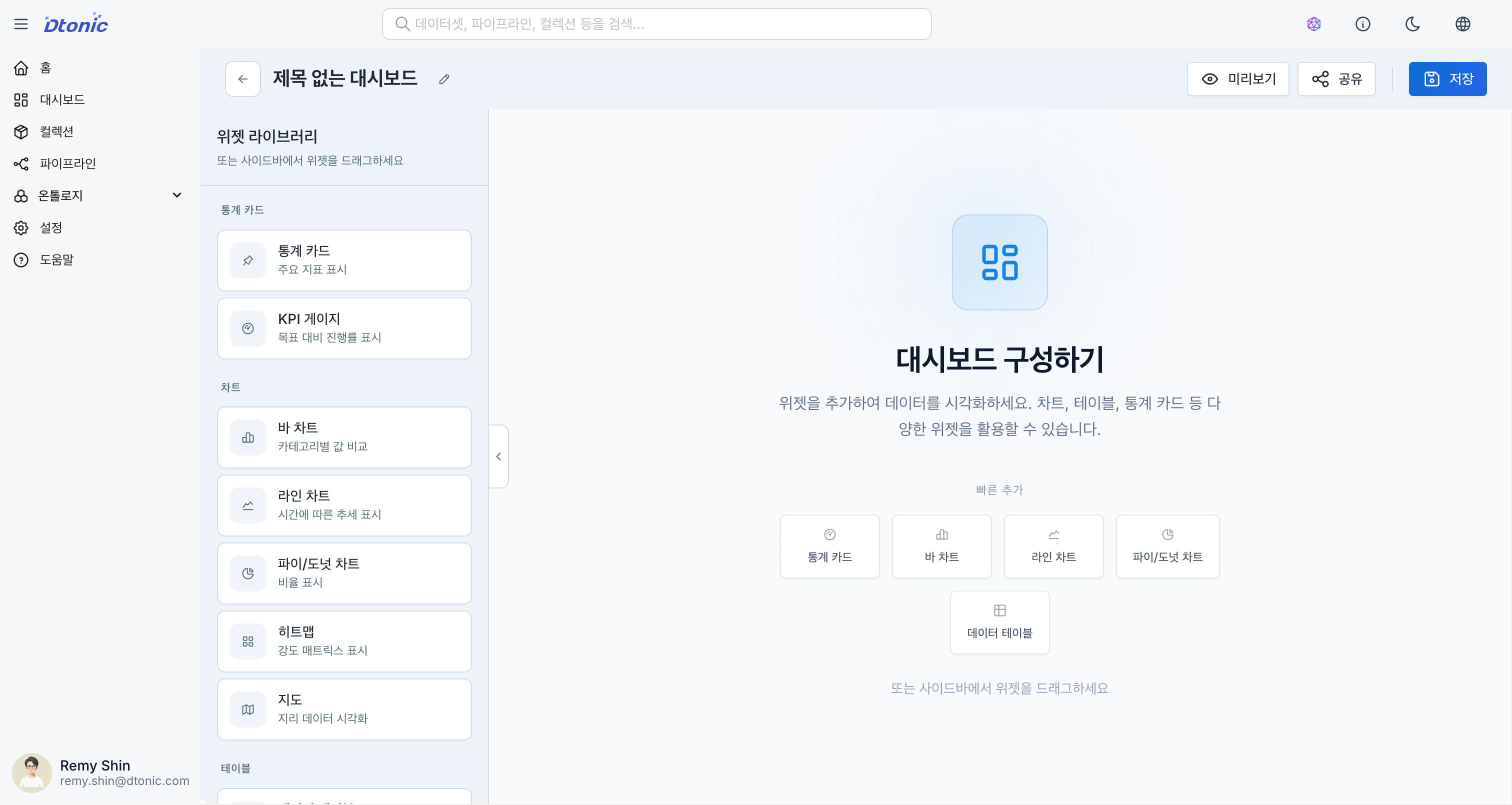
The Dashboard Builder is divided into three main areas:
- Widget Library (Left Panel): Provides all visualization components that can be added to the canvas.
- Canvas (Center Area): The workspace where you place and resize widgets.
- Settings Panel (Right Panel): Configure the selected widget's data source, chart properties, and styles in detail.