Collection Overview
Collections are the core unit in D.Hub for logically grouping and managing datasets, codes, pipelines, and knowledge.
Screen Layout
[Screenshot] Collection page
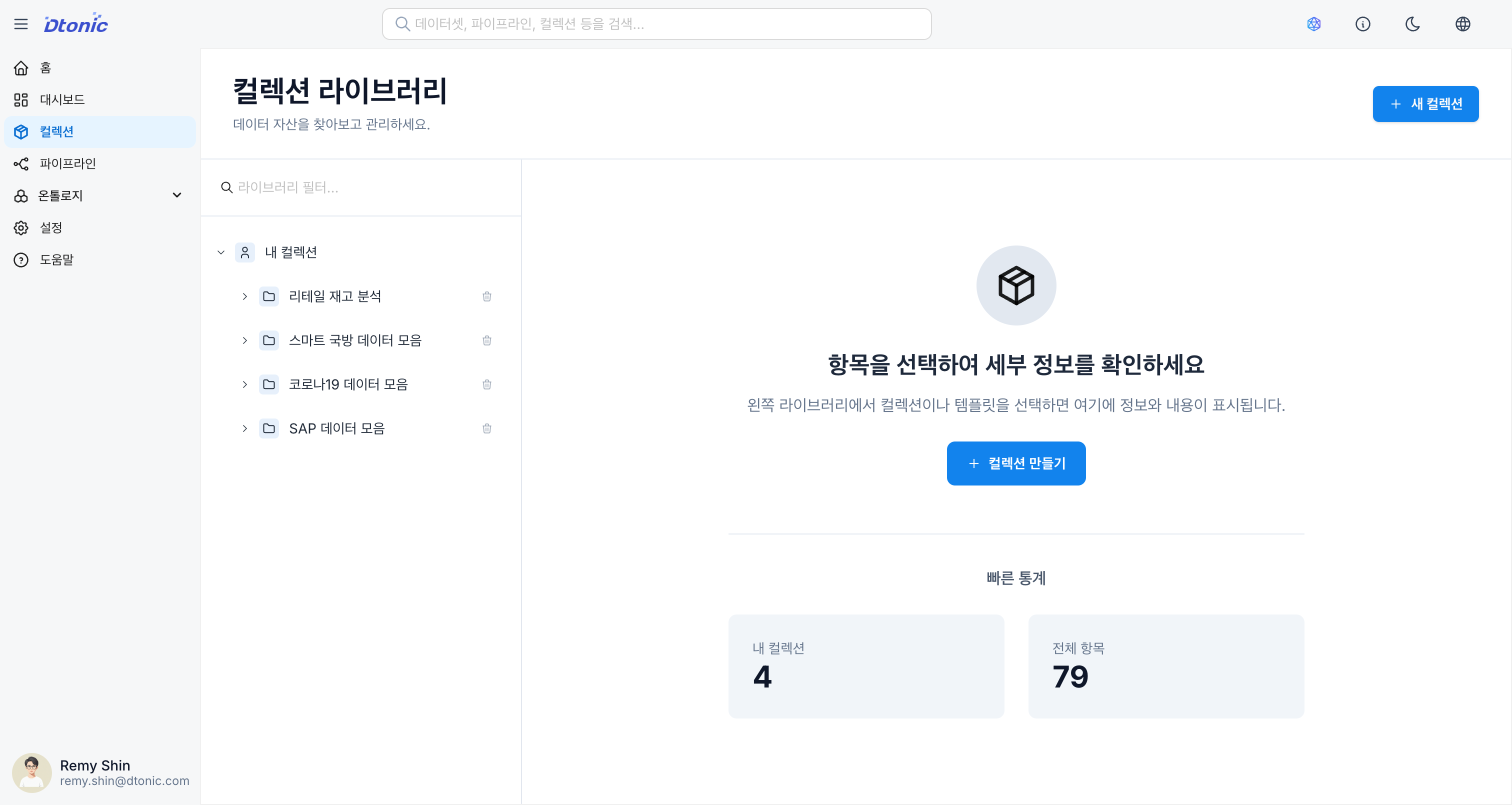
The collection page uses a two-pane split layout for efficient navigation and operations.
1. Left Panel: Collection Tree
- Hierarchical Structure: Displays all collections and their sub-items in a tree format.
- Favorites: Click the star (★) icon on frequently used collections to add them to favorites, which are pinned at the top.
- Quick Actions:
- The + button next to each collection lets you quickly add items.
- Use the menu icon to perform actions such as renaming and deleting.
- Filter and Search: Use the search bar at the top to find specific collections or items.
2. Right Panel: Detail Panel
Displays contextual detail information based on the item selected in the tree.
- When a Collection is Selected (Overview):
- Summary statistics of items in the collection (datasets, codes, pipelines, knowledge count)
- Recent activity or key metadata
- Item search and filtering
- Sharing and Permissions: Share the collection with other users/groups and manage permissions via the Share button.
- When an Item is Selected (Detail View):
- Dataset: Schema information, data tab (including SQL Scratch Pad, Map/Chart views), version management
- Code: Monaco-based code editor (with AI code assistant), metadata, version management
- Pipeline: Pipeline configuration information, data tab, version management
- Knowledge: Knowledge document list and settings viewer
Key Features
- Creation Wizard: Easily create collections through a step-by-step guide.
- Item Management: Import existing resources or create new ones using templates.
- Quick Upload: Quickly upload CSV, Parquet, and JSON files via drag and drop to create datasets.
- Auto Metadata: Use AI to get automatic suggestions for collection name, description, tags, and more.
- Sharing and Permissions: Set user/group access permissions at the collection level.